


MuseScore: Music Chords & Tabs
3.86.14K Reviews
App Specs
- Version
- 2.14.44
- Updated On
- License
- Free
- Downloads
- 10,000,000+
- Developer
- Musescore Limited
- Categories
- Music & Audio
- Platform
- Android, iOS
Screenshots


 Analysis by AppCompare
I approached MuseScore: sheet music as a practical music companion rather than just a place to browse notation. It is a free music and audio app from Musescore Limited, and its appeal is clear: it brings a large score library together with tools for reading, listening, and working on music. I would recommend it most to people who already use sheet music and want a convenient way to discover pieces or follow along away from a music stand.
Your All-In-One Sheet Music Companion
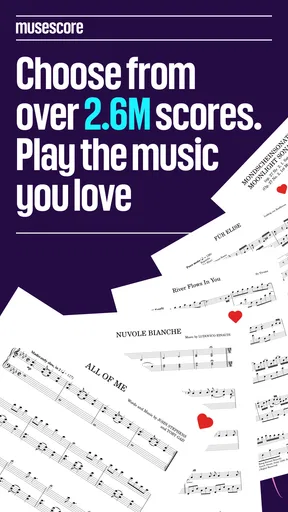
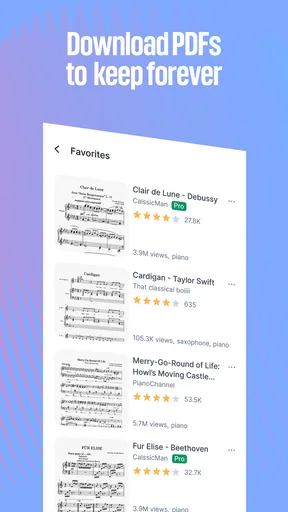
First off, let's talk about why MuseScore: sheet music stands out. This app isn't just about reading sheet music; it's about creating an entire musical experience. With a vast library of scores, you can find almost anything you want. From classical masterpieces to modern hits, the selection is pretty impressive.
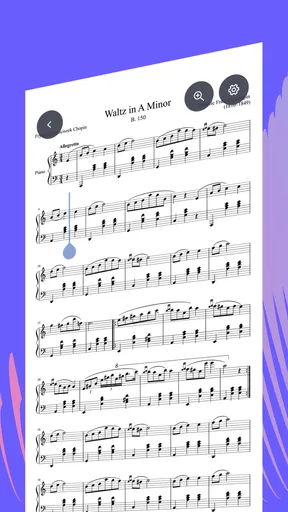
The interface is user-friendly, which is a huge plus. I mean, who wants to fumble around with confusing layouts when all you want to do is play some tunes? The search function is quick and efficient, helping you find the exact composition you're looking for in no time.
Features That Hit the Right Note
One of the coolest features is the ability to create and edit your own scores. This is perfect for those who are into composing. You can easily add notes, change tempos, and even adjust key signatures with just a few taps. It's like having a mini music studio right in your pocket.
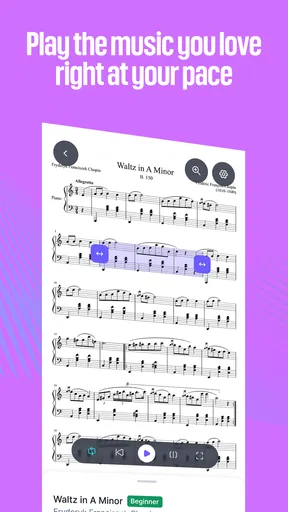
For those who are learning, the playback feature is a blessing. You can listen to how the piece is supposed to sound, which is super helpful for getting the rhythm and notes just right. Plus, you can slow down the playback if you're trying to tackle a particularly challenging section.
Finding a Useful Score, Not Just a Familiar Title
For me, the best way to use a broad score library is to search with the instrument and arrangement in mind, not only the song title. A familiar tune may appear in versions that differ in difficulty or instrumentation. Before settling in, I check whether the notation suits the instrument I actually play and whether the page looks manageable on my screen. That small check can save a frustrating practice session with an arrangement that is technically the right song but not the right fit.
The library is a strong starting point, but I would not treat every result as an authoritative edition. Community-shared scores can vary in accuracy and presentation, so I compare the opening measures with a recording or a printed edition when precision matters. For casual learning, experimenting, or finding an arrangement to try, that variety is part of the appeal. For an audition, formal study, or a performance where every mark counts, I would verify the score before relying on it.
Worth Reading Before You Choose

EA SPORTS FC Mobile 26 Is a Bigger Football Game, but It Takes Time

Flipboard Shows What News Apps Must Do Beyond the Feed

Switching to Android Auto Means Rethinking Your Driving Routine

Google Calendar Makes a Crowded Week Easier to Manage

Ludo King Makes the Most of the Minutes Between Plans

Baby Panda World Brings Quick Play to Modern Phones, but Its Game Library Feels Busy
Playback as a Practice Aid
Playback is useful, but it works best as a reference rather than a substitute for listening to a musician. Slowing a passage can make its rhythm and note sequence easier to follow, especially when I am learning an unfamiliar line. I like to use it in short bursts: listen to a phrase, try it myself, then return to the score to check where I lost my place. Leaving playback running while simply following along can feel reassuring without necessarily improving timing or expression.
It also helps to separate reading practice from sound recognition. If I can only play a passage while the app supplies the notes, I have not fully learned it yet. I use the audio to check my understanding, then try the same phrase without it. That approach makes the app more valuable for building a habit instead of becoming a crutch.
Collaborate and Share Your Music
If you're someone who loves to share their musical creations, MuseScore makes it incredibly easy. You can upload your scores to the MuseScore community and get feedback from other musicians. It's a great way to connect with fellow music lovers and maybe even collaborate on something beautiful.
Speaking of collaboration, the app allows you to share your scores directly with friends or bandmates. Whether you're in a band or part of a choir, having instant access to shared music can make rehearsals a breeze.
A Practical Rehearsal Routine
Imagine a choir member checking a part on the bus before an evening rehearsal. They can search for the piece, review the notation, and use playback to remind themselves how an entrance should sound. At rehearsal, the score can serve as a quick reference rather than a replacement for the conductor's instructions or the group’s chosen edition. That is where a phone-based score library feels genuinely handy: it helps fill small gaps between scheduled practice sessions.
For a band or small ensemble, shared scores can also reduce the back-and-forth of sending files around. I would still agree on the same arrangement before rehearsal; sharing a title alone does not guarantee that everyone has matching parts. When the group is working from a specific version, checking the score details together is a simple way to avoid a page of mismatched notes and markings.
Learning Made Fun and Accessible
For those just starting out, MuseScore offers tutorials and lessons that are both informative and engaging. These resources can help you understand the basics of music theory, reading sheet music, and even some advanced techniques. It's like having a personal music tutor available 24/7.
And let's not forget the customization options. You can change the app's appearance to suit your style, making the whole experience feel more personal. From adjusting the sheet music display to choosing your favorite color scheme, it's all about making music in a way that's comfortable for you.
Who Will Get the Most from It?
I think the app is a particularly good fit for instrumentalists who read notation, learners who want to hear a passage while studying it, and composers who want a mobile place to work with scores. A teacher might also use it to find examples for a lesson, while a hobbyist can browse arrangements and decide what to practice next. The key benefit is having discovery and study tools close together, rather than switching between a score source and a separate playback reference every time.
It is less compelling if you mainly learn songs by ear, want a simple streaming-music app, or need a carefully edited score for professional performance without checking its source. It is also not the same thing as a full desktop notation workstation. Editing on a phone can be convenient for small changes or ideas, but detailed composing is often more comfortable on a larger screen with a proper keyboard. I would use the mobile app to explore and sketch, then choose a more suitable setup when a project becomes demanding.
How It Fits Beside Other Music Apps
Compared with a general music player, MuseScore is centered on notation: the score is the main object, and audio playback supports reading and practice. Compared with a digital sheet-music reader that mainly stores files you already own, its library gives you a way to search for pieces as well. That combination is useful, though it can mean spending time judging which arrangement is appropriate instead of simply opening a known, fixed edition.
There is a trade-off between breadth and certainty. A large collection helps when I want to explore less familiar repertoire or find a playable version of a tune, while a dedicated publisher or teacher-provided edition is the safer choice when exact editorial details matter. I see this app as a flexible discovery and practice companion, not a universal replacement for printed parts, specialist notation software, or a musician’s own judgement.
Current State and What to Keep in Mind
The app has been available since August 13, 2014, and its current version is 2.14.14. That long presence suggests an established product, but a version number alone does not tell me what changed between releases or guarantee that every workflow will suit me. Existing users should judge the current experience by the tasks they rely on: finding a score, reading it comfortably, using playback, and sharing material when needed. New users can start with those same basics before deciding whether they need more involved tools.
It has an average rating of 3.8 from around 150,000 ratings, and more than 10 million installs. Those figures point to a widely used app with mixed experiences, rather than a tool that will be perfect for everyone. It is free to download, rated Teen, and offers in-app purchases ranging from $1.99 to $214.99 per item. I would check the purchase details in the app before paying, and first see whether its free use covers the way I plan to study.
For device compatibility, the listed minimum operating-system requirement is version 7.0. Beyond that basic check, the most useful test is personal: can I read the notation comfortably on my screen, and does searching turn up versions that fit my instrument and level? A larger display may make dense pages easier to follow, while someone who only needs a single score might find a dedicated file reader simpler.
The Final Crescendo
All in all, MuseScore is a must-have app for anyone serious about music. It combines ease of use with powerful features, making it suitable for both newbies and pros. Whether you want to learn a new song, compose your own piece, or simply enjoy browsing through an endless library of music, this app delivers.
So, if you haven't already, give MuseScore a try. Who knows? You might just discover your next favorite piece or compose something truly magical. Happy playing!
My Recommendation
I would start by using it for one specific need: find a score for a piece I want to learn, check that its arrangement suits my instrument, and test whether reading and playback fit into my practice routine. If those steps feel smooth, the library and sharing tools can become useful parts of regular music-making. If what I really need is a verified performance edition or extensive composition work, I would pair it with a more specialized source or desktop tool instead.
That balance is why I find the app worthwhile without calling it essential for every musician. Its strongest role is connecting score discovery with everyday practice, while the user still makes the final call on accuracy, suitability, and how much to rely on playback. For learners and curious players, that is a helpful place to begin; for exacting professional work, it is better treated as one tool among several.
Pros
- Extensive library of sheet music.
- User-friendly interface for beginners.
- Supports multiple file formats.
- Cloud sync across devices.
- Active community for score sharing.
Cons
- Premium features behind paywall.
- Occasional app crashes reported.
- Limited offline functionality.
- Some users find ads intrusive.
- Learning curve for advanced features.
FAQs for MuseScore: Music Chords & Tabs
What platforms is MuseScore available on?
MuseScore is available on multiple platforms, including Android and iOS for mobile devices, as well as Windows, macOS, and Linux for desktop users. This cross-platform availability allows users to compose, edit, and share sheet music across various devices seamlessly.
Can I use MuseScore offline?
Yes, MuseScore can be used offline, which is a great advantage for users who need to work on their compositions without an internet connection. However, certain features like downloading additional sheet music or accessing cloud storage will require an internet connection.
Is MuseScore free to use?
MuseScore offers a free version with a wide range of features suitable for most users. For those who want additional capabilities, MuseScore also provides a Pro version with advanced features, such as more extensive online sharing options and additional soundfonts, available via a subscription.
What file formats does MuseScore support?
MuseScore supports a variety of file formats for importing and exporting sheet music, including MusicXML, MIDI, and PDF. This compatibility ensures users can easily share their compositions with others or work with files from other music notation software.
Does MuseScore offer tutorial resources for beginners?
MuseScore provides extensive tutorial resources, including video guides and a detailed user manual, which are excellent for beginners. Additionally, the community forums are active, allowing users to ask questions and share tips, enhancing the learning experience for new users.


